Optima Desktop
Installed on your counter
KES 25,000once, VAT included
- Keeps selling with no internet
- Thermal printer and cash drawer
- Every update included, no monthly fee
Download free trialGet it on my computer7 days free, no card
One complete system for sales, inventory, reporting, and daily operations. Work from your counter with Optima Desktop, or manage your pharmacy online in your computer’s browser.
One pharmacy system, two ways to have it. Both are free to try.
Installed on your counter
KES 25,000once, VAT included
In your computer’s browser
KES 1,500a month, from
Compare them side by sideFull pricing: extra tills, branches and VAT
The counter carries clinical, financial and accountability decisions all day. Generic retail tools leave those decisions to notebooks and memory. Optima was made to bring them into view.
Swipe to see all four
These are real screens from Optima. Follow the owner, employee and cashier flow to see how the system works as one pharmacy operation.
Swipe to explore all five screens
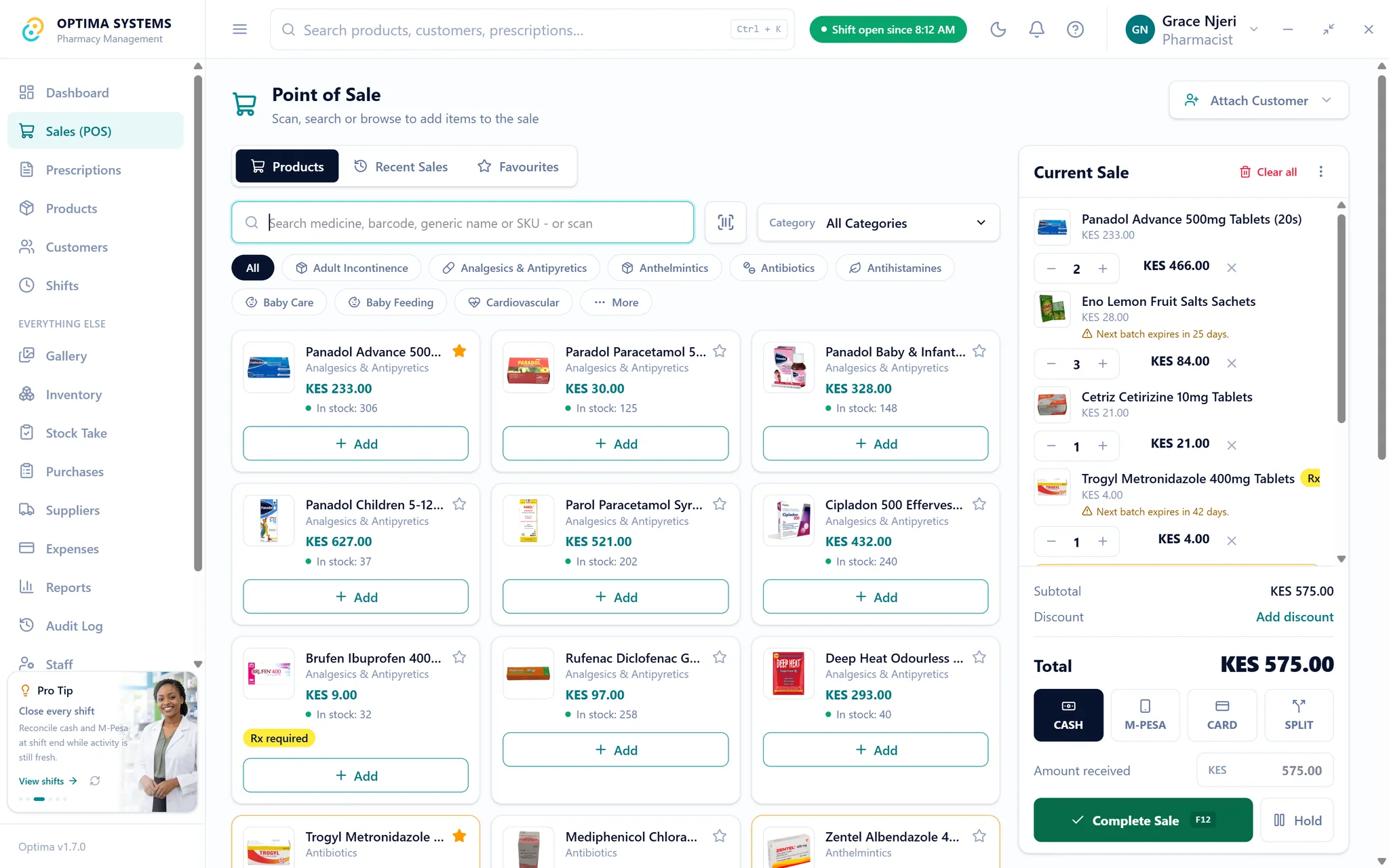
The owner dashboard brings sales, profit, stock pressure, shift position and recent activity into one operational view. It is the first screen for deciding what needs attention today.
Sales, stock, suppliers, staff and records in one system, the same on Optima Desktop and Optima Online.
Search or scan, split cash, card and M-Pesa, and print the receipt.
Every unit has a batch and an expiry date, and the oldest sells first.
Order, receive with batch and expiry, and track what each supplier is owed.
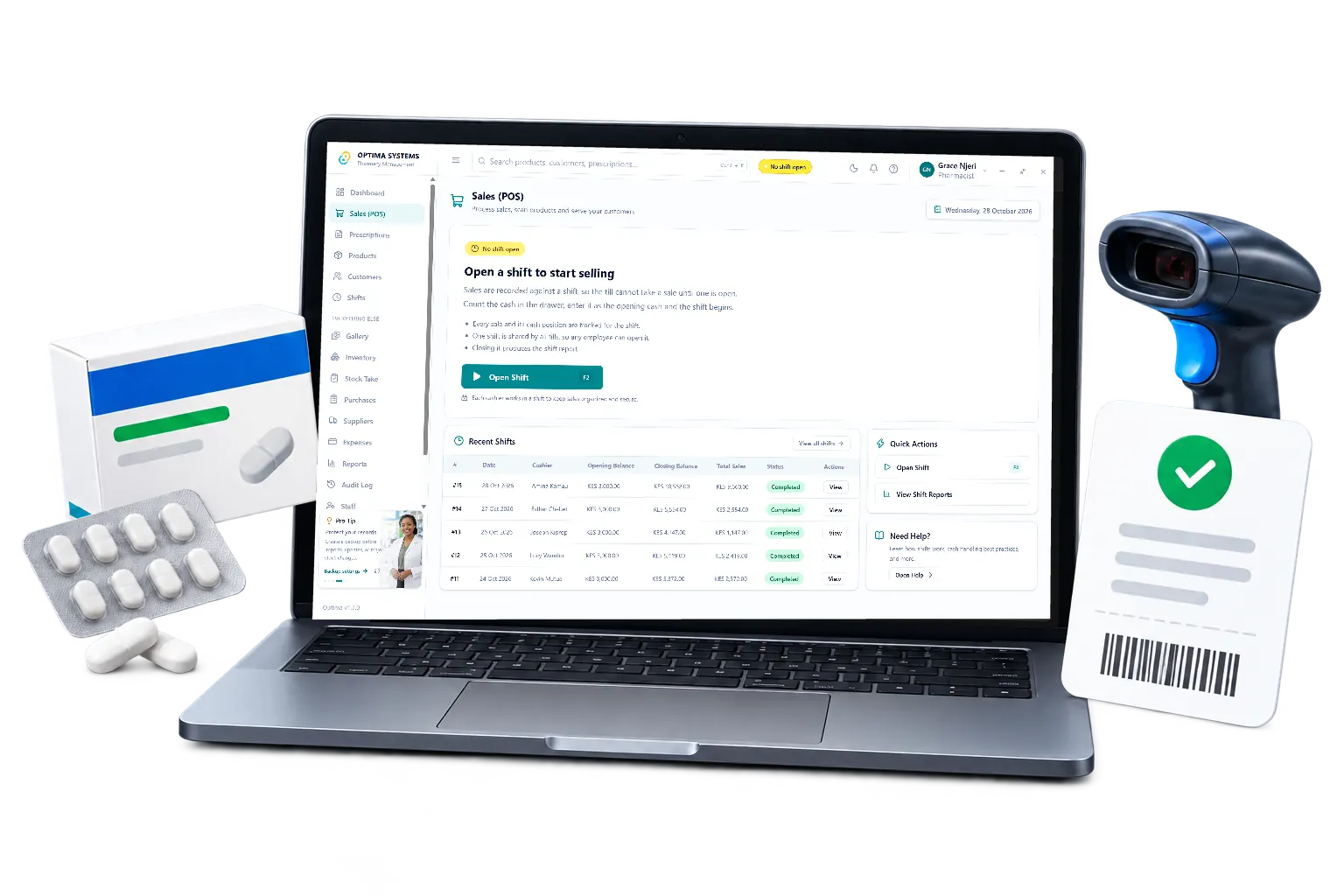
Open with a float, close against the drawer and see the variance by name.
Prescriber, patient and directions, without slowing down walk-in sales.
Sales, profit, low stock, expiring batches and staff activity, in plain numbers.
Payment note: M-Pesa is recorded on the sale. Automatic M-Pesa confirmation with Safaricom is not included yet.
Backup note: On Optima Desktop, save backups to a separate device or network location in case a computer or disk is lost.
Optima Desktop is installed on a Windows computer in the pharmacy. It is not a browser tab asking a remote server for permission to serve the next customer. Optima Online is the browser version: nothing to install, but it needs a working connection to sell.
Optima Desktop keeps every record on the computer in your pharmacy. Optima Online keeps them on our server, backed up daily, and you can export them any time.
A slow connection never pauses a sale or a cash-up.
Connect more tills over your own local network when you need them.
Your team uses a fast local PIN. With Optima Desktop, your customers' records never leave the pharmacy.
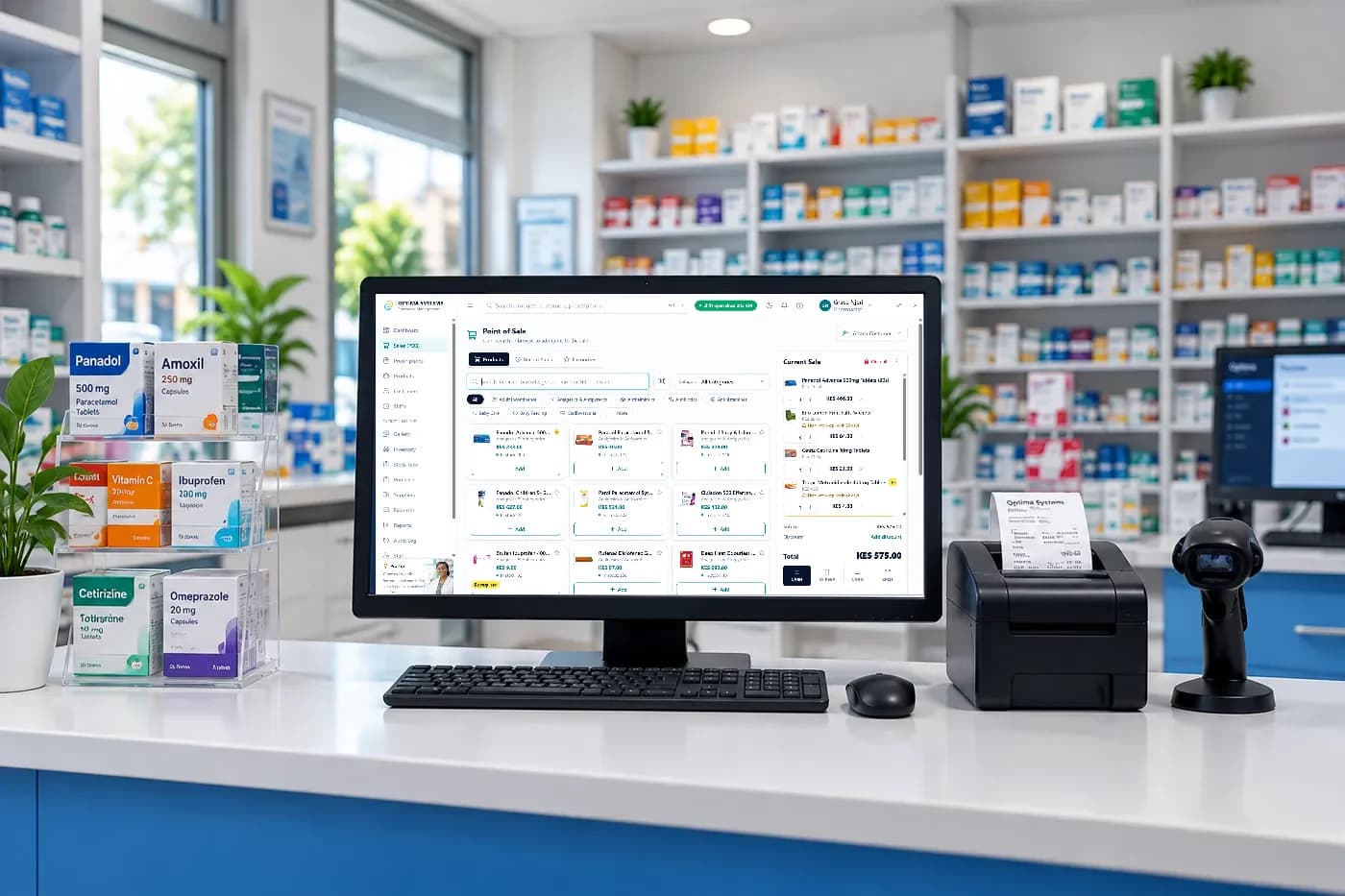
Yes. Download the full Windows app and use every feature for seven days, with your own pharmacy data. You create a free Optima account to download it. No card and no payment are needed to begin.
Yes. Optima installs and runs on a Windows computer, and stores its records there. Selling, receiving stock, closing a shift and printing a report all work with the router unplugged.
No. A standard Windows computer is enough to start. A barcode scanner, receipt printer or cash drawer will all work if you have them, but none of them is required.
M-Pesa is recorded on the sale as a payment method alongside cash and card, and a single sale can be split between them. Payments are recorded against the sale so a shift reconciles properly at closing. Optima does not yet confirm M-Pesa transactions with Safaricom automatically: the cashier checks the message and records it.
Still deciding? Download it and try it for 7 days, or read the refund policy and the licence agreement first.
Try the full system with your own pharmacy before you pay anything. Install it on your counter, or open it in your computer’s browser.
7 days free, then KES 25,000 once. Installed on Windows and works with no internet.
Download free trialGet it on my computer14 days free, then from KES 1,500 a month. Nothing to install; needs the internet.
Start free trial